- Home
- Historical Use
- How It Works
- Lyme Disease
- Videos
- About Us
- Building a Machine
- Setup Guide (Manual)
- Electrocleanse Session
- Run New Frequencies
- Run Flash Frequencies
- Download Program
- Contact Us
Downloading New Electrocleanse
It's easy to run the New Electrocleansing program from your browser while online. But it's also possible to download the file and use Electrocleansing program while offline.
-
Download the frequencies zip file to your computer.
-
Copy the file to an easy to find folder on your computer. Your desktop is a good place.
-
Unzip the file by right clicking the zip file and selecting the "Extract All..." option. The new folder name will automatically be selected. Click on "Extract."
-
The Electrocleansing program is now ready to use. Start the program by double clicking the new folder. Then double click the file named "index.html." Your default browser will be used to run the program.
Downloading Flash Electrocleanse
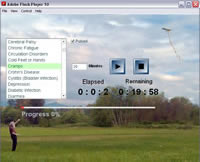 It's
easy to run the Electrocleansing program from your browser while online. But
it's also possible to download the file and use Electrocleansing
program while
offline.
It's
easy to run the Electrocleansing program from your browser while online. But
it's also possible to download the file and use Electrocleansing
program while
offline.
-
First you need the Adobe Flash Player Projector found on the Adobe website. Downloading is free and easy. Click the link below to download the Adobe Flash Player. Scroll down the Adobe download page to find the player appropriate for your computer. You need the Flash Player Projector. It is located half way down the page.
 Download Adobe Flash Player
Or you can download the stand alone Flash Player directly from here:
Windows Flash Player 11.x Projector (EXE, 8.46MB)
Macintosh Flash Player 11.x Projector (ZIP, 14.23MB)
Linux Flash Player 11.x Projector (TAR.GZ, 5.72MB)
Save the Flash Player Projector file in a folder or on the Desk Top. Remember where it is located so that it can be registered on the system later. -
Next, you will need to download the Electrocleansing.swf file. Just click the link below, and save the file to a convenient place on your computer such as your Desktop.
 Download Electrocleansing file
 -
The first time, you will need to register the Flash Player with the system:
-
Right-click on Electrocleansing.swf icon, mouse-over "Open with" and left-click on "Choose default program...".
-
Left-click on "Browse...". In the new "Open with..." window, locate the Flash Player that was downloaded earlier and highlight it. Left-click on "Open".
-
Left-click the check box and mark it for "Always use the selected program to open this kind of file".
-
Left-click "OK".
-
A Flash Player window will open for the Electrocleansing program. FlashPlayer is now registered with the system. You can exit the program.
-
-
The Electrocleansing program is now ready to use. Start the program by running Electrocleansing.swf. Then click the "Maximize" button (center button at the top right of the Electrocleansing window) to expand to a full screen.